Choose a traveler
For GTA 5 Last Flight AI, upload a clear photo of the person taking the flight. One person, a visible face and recognizable hair and clothing give the model useful details for both close-ups and wider airport shots.
 Sign in
One last flight · Fan-inspired video
Take one last look back. Add a photo and create your own airport farewell before the plane leaves Los Santos.
THE AIRPORT FAREWELL
GTA 5 Last Flight AI, inspired by Last Flight Out of GTA 5, imagines a final departure from Los Santos. A traveler carries a game case through the airport, looks back and boards a plane. Outside, three companions drive alongside the runway and watch the flight leave. This tool uses a prepared reference and one photo to guide the traveler’s appearance in the AI-generated part.
GTA 5 Last Flight AI is a fan-inspired take on the goodbye trend. The Goodbye GTA 5 airport farewell keeps the flight, supporting people and camera cuts from the reference; the result can vary in faces, clothes and movement. Images on this page are reference stills, so they do not promise a specific AI result.
THREE SIMPLE STEPS
For GTA 5 Last Flight AI, upload a clear photo of the person taking the flight. One person, a visible face and recognizable hair and clothing give the model useful details for both close-ups and wider airport shots.
Choose a GTA 5 Last Flight AI video of about 20, 28 or 36 seconds. Each version personalizes its traveler scenes and includes the original takeoff ending.
Sign in, check the credit cost and generate your GTA 5 Last Flight AI video. Watch the traveler’s close-ups and transitions, listen to the result and download it when you are ready.
These stills show moments from the reference video, not generated examples. Your GTA 5 Last Flight AI result may look different.
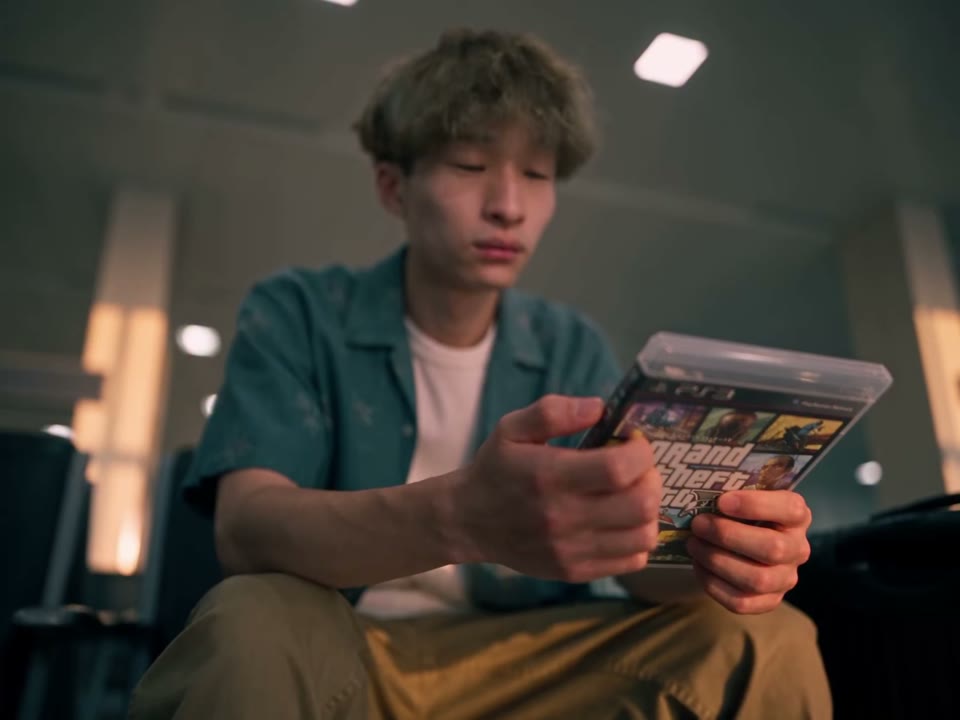
In GTA 5 Last Flight AI, the traveler arrives with a suitcase and game case, pauses and turns back before boarding. Your photo guides the featured person through this part of the Last Flight Out of GTA 5 scene. Clear eyes, hair and clothing can help the model across changes in camera angle, although it may still alter details.
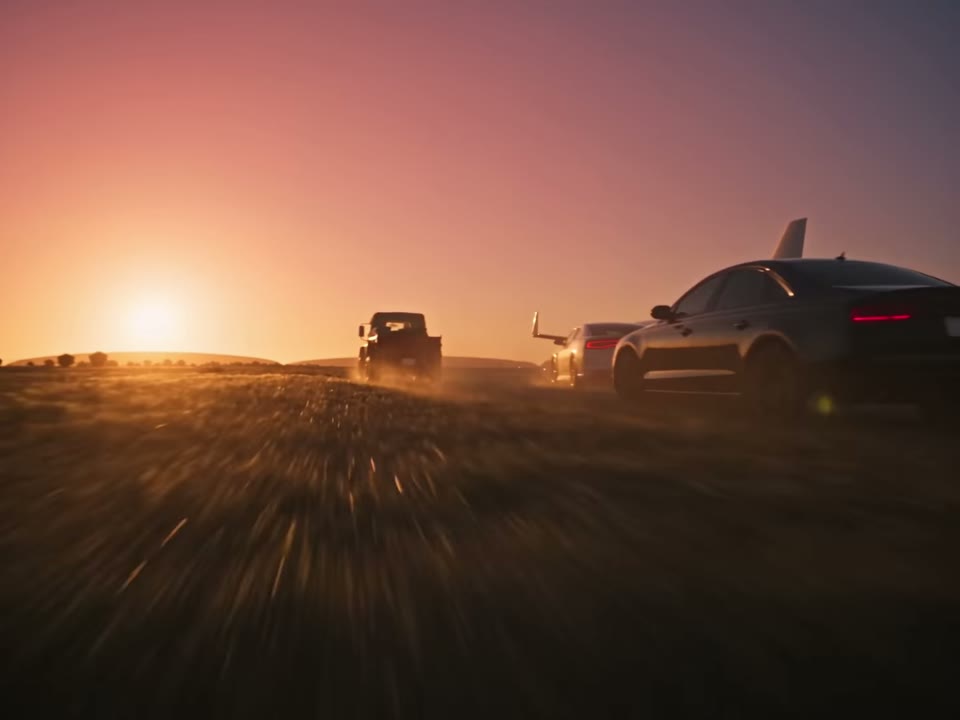
In GTA 5 Last Flight AI, the plane prepares to depart while the three companions follow in cars. In every mode, the traveler’s final close-up belongs to the generated section. The later runway shots are taken from the reference and appended after generation to preserve the farewell sequence.
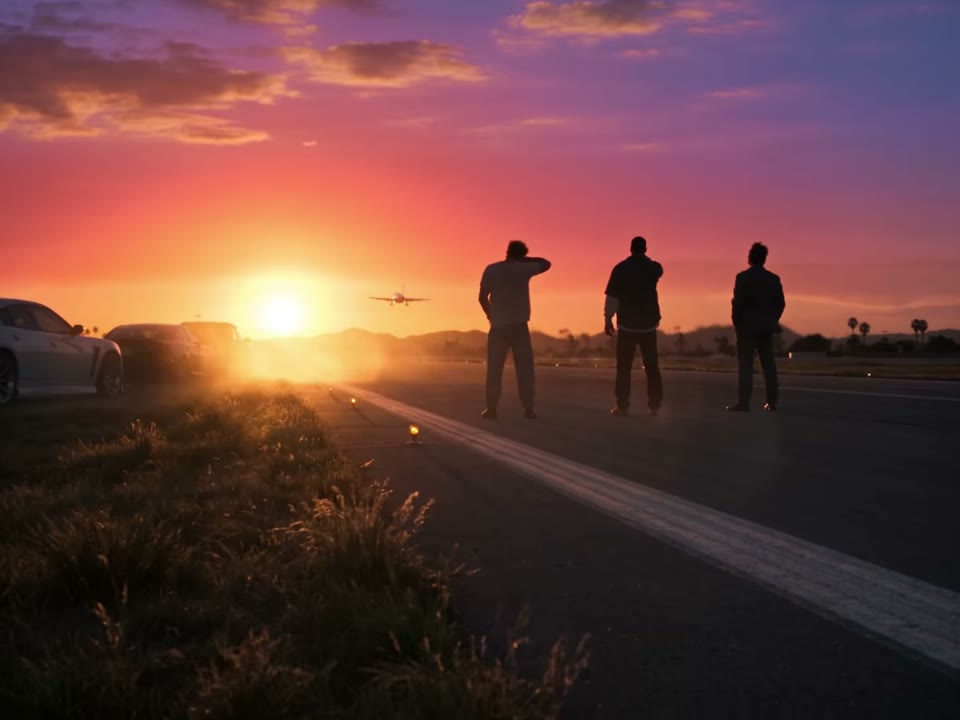
The Last Flight Out of GTA 5 story ends with the plane taking off and the companions watching it leave. All three modes keep this ending as footage from the reference. Economy and Standard use shorter selections of the earlier traveler scenes.
CHOOSE YOUR TAKE
All three GTA 5 Last Flight AI modes use Seedance 2.5 Edit at 480p with one traveler photo. Each mode follows its own prepared reference and requires the credit amount shown before you create.
GTA 5 Last Flight AI Economy creates a roughly 20-second video. About 8.6 seconds of selected traveler scenes are personalized, followed by the original takeoff ending. The airport look-back and final airplane close-up remain in the selection.
Standard creates a roughly 28-second video. About 16.6 seconds of selected traveler scenes are personalized, with more airport and airplane shots before the same original takeoff ending.
GTA 5 Last Flight AI Original personalizes the first 24.75 seconds, including the look back and the traveler’s last airplane close-up. The final 11.4 seconds are appended from the reference, for a finished story of about 36 seconds.
PLAN YOUR FAREWELL
GTA 5 Last Flight AI uses one photo for the person at the airport. Choose a picture in which that person is easy to identify, with a clear face and enough light to see the eyes and hair. If several people appear in the photo, selecting an image with one prominent subject can make the intended traveler clearer to the model.
The airport sequence moves between close-ups and wider views. A waist-up or full-body photo can provide outfit context as well as a face. GTA 5 Last Flight AI follows the prepared camera cuts, so expressions, hands, accessories and clothing can still change as the traveler moves through the scene.
Before starting GTA 5 Last Flight AI, play the reference for your chosen mode and decide how much of the journey you want to keep. The preview is source footage, and the finished version will use your uploaded photo for the traveler section. The later takeoff ending is appended from the prepared reference.
BEFORE YOU SHARE
A photo with good light and an unobstructed face gives the model a better starting point. A waist-up or full-body picture can also show the traveler’s outfit. Use a photo you have permission to upload.
Watch the airport look-back and airplane close-ups. Faces, hands, accessories and clothes can change between cuts. If the person is hard to recognize, another photo may help on a later attempt.
Each GTA 5 Last Flight AI mode combines its generated traveler sequence with the original runway ending. Watch and listen through the transition before posting, and make sure you have the rights needed for your chosen use of the image and video.
PAY ONCE
Purchase credits once and use them for a GTA 5 Last Flight AI version of the airport farewell. Each package provides enough credits for one generation in the named mode; remaining credits stay in your account.
$7.99
480p · a shorter farewell
One generation
799 credits
$12.99
480p · more of the farewell
One generation
1299 credits
$15.99
480p · the complete farewell story
One generation
1599 credits
One-time credit purchases. Each mode uses the credits shown above; any remaining balance stays in your account and can be combined. Failed tasks are credited back.
Refunds: request within 72 hours. Used purchased credits and applicable non-refundable processing costs (up to 6%) are deducted. Terms · Refund Policy
QUESTIONS, ANSWERED
GTA 5 Last Flight AI, also known as Last Flight Out of GTA 5, is a fan-inspired airport farewell video. A traveler looks back before boarding, while three companions follow the departing plane. The prepared footage supplies the setting and sequence; your photo guides the traveler’s appearance in the generated part.
Original sends the first 24.75 seconds to Seedance 2.5 Edit to personalize the traveler. The last 11.4 seconds are appended from the reference, making the finished video approximately 36 seconds. The final takeoff and farewell keep their original footage.
Yes. All three versions include the airport look-back and the traveler’s final airplane close-up. Each uses a different selection of earlier shots and shares the takeoff ending.
Choose one sharp, well-lit photo of the person who will take the flight. Include the face, hair and some clothing when possible. AI may interpret these details differently across shots, so review the finished video.
The page has one photo slot for the traveler. The supporting characters are part of the prepared reference and cannot be assigned individual photos. The generated portion can still vary from the reference.
Each version is assembled with the soundtrack for its selected scenes and the original ending. Listen to the result before sharing.
Original follows the longest selection of the traveler’s journey before the takeoff ending. Economy and Standard use shorter edits, while retaining the look-back, final traveler close-up and the same original ending.
The player shows the prepared reference for the selected mode. Your own result appears in My creations after generation and may differ in the traveler’s face, clothing and other details.
Sign in to the account used for the generation and open My creations. Review the finished video and its sound before downloading or sharing it.
Economy uses 799 credits, Standard uses 1,299, and Original uses 1,599. Each one-time package below contains enough credits for one generation in its named mode.
No. This is an independent fan-inspired video tool. It is not affiliated with or endorsed by Rockstar Games or the owners of Grand Theft Auto.
Choose a photo and make GTA 5 Last Flight AI your own airport farewell.
Create your video