
A DIFFERENT AIRPORT GOODBYE · FAN-INSPIRED VIDEO
GTA 5 Airport Goodbye AI Video
Create a GTA 5 Airport Goodbye AI video from one photo, with an airport reunion, a farewell and a departing flight.
THE SCENE
What is GTA 5 Airport Goodbye AI?
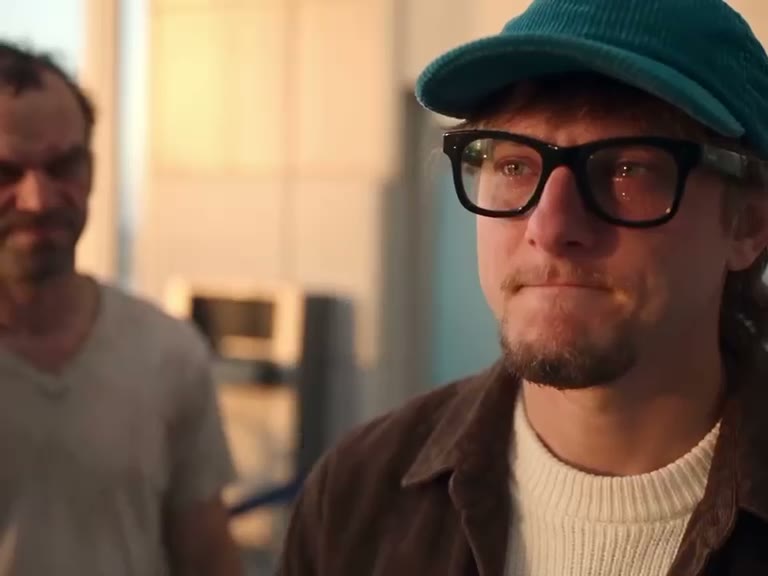
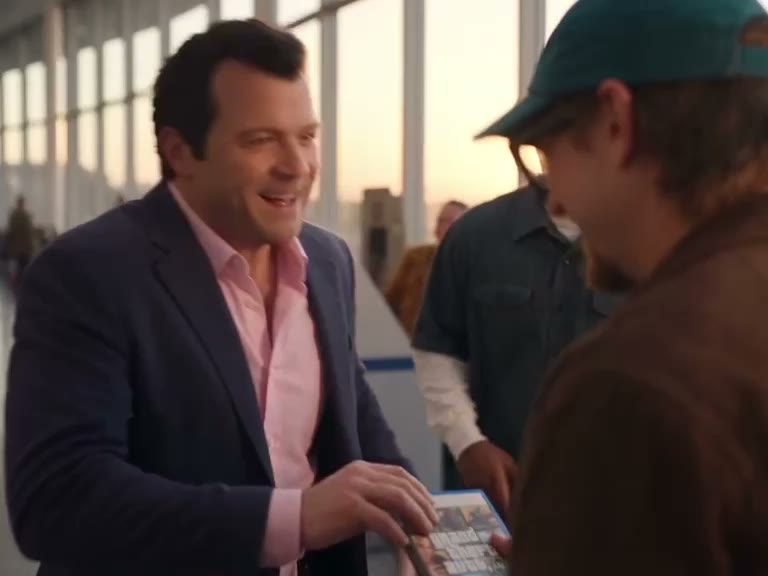
GTA 5 Airport Goodbye AI places your chosen person in an airport farewell. The reference follows a traveler meeting familiar companions before the journey continues toward a plane. Add one photo for the traveler; the airport, supporting people, dog and camera sequence come from the prepared footage.
This GTA 5 Airport Goodbye AI scene uses its own reference video. It is a different airport story from this site’s Last Flight page, which uses another sequence and a separately assembled ending. The preview is reference footage, and your generated video may interpret details differently.
HOW TO CREATE
How to make a GTA 5 Airport Goodbye AI video
- Pick one clear photo of the traveler. The uploaded photo guides the replacement person; the people and dog saying goodbye remain part of the prepared reference.
- Watch the GTA 5 Airport Goodbye AI preview and select Economy for the opening reunion or Original for the full airport departure. The shorter preview does not include all of the later boarding and flight.
- Sign in and check the displayed credit amount. Start the 480p video with the prepared scene; no additional reference video or custom prompt is required.
- Find the finished video in My creations. Review the face in close-ups, the farewell interaction and the sound before downloading or sharing.
Give the GTA 5 Airport Goodbye AI traveler a familiar face
GTA 5 Airport Goodbye AI has one photo role: the traveler in the airport scene. The traveler’s original hat and glasses help identify that role in the source. Your chosen picture guides the person’s appearance, while the other people and the dog are not separately customizable on this page.
A clear, well-lit portrait with a recognizable face is a practical starting point. The reference moves between people and camera angles, so a photo with visible hair and some clothing can provide additional context. Details can still shift between shots; the source preview is not a sample made from your photograph.
Decide how much of the airport story to keep
Economy uses the opening approximately 15 seconds of GTA 5 Airport Goodbye AI, focusing on the greeting and embrace. Original uses the complete approximately 30-second reference and includes the later travel sequence. Economy does not contain the complete boarding and departure, so choose Original when the ending matters to your story.
The full and short versions use different excerpts from this same airport reference. Both are generated with Seedance 2.5 Edit at 480p and attempt to restore the matching reference soundtrack. Economy uses 799 credits; Original uses 1,599 credits. Check the button for the current cost before submitting.
Compare GTA 5 Airport Goodbye AI with Last Flight
GTA 5 Airport Goodbye AI follows the traveler through a greeting in an airport and uses this page’s own source footage. GTA 5 Last Flight AI follows a different traveler, look-back and runway sequence, with a fixed takeoff ending attached after the personalized portion. Explore both previews to choose the scene you actually want.
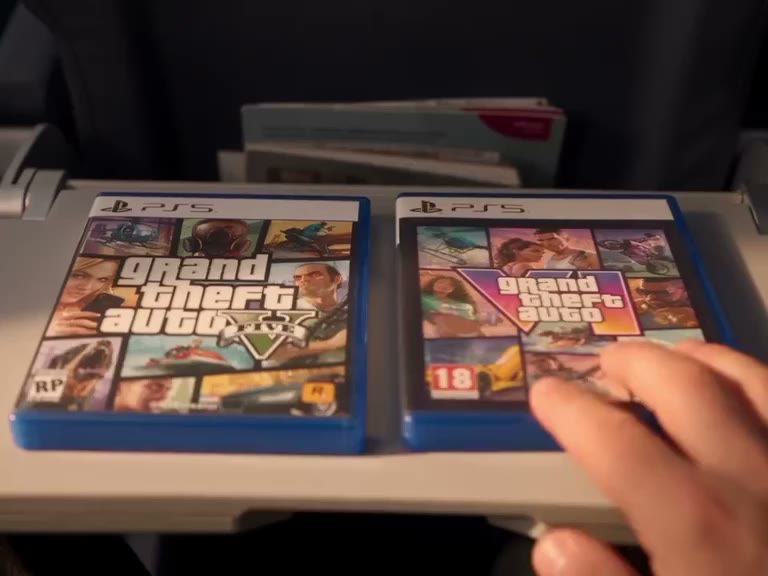
For this airport video, watch the expressions and interactions throughout the generated sequence. Supporting faces, the dog, the game case and movements are guided by the reference but may vary. The soundtrack may be restored after generation; listen to the final file and ensure you have the necessary rights for your intended use.
Preparing a traveler photo for GTA 5 Airport Goodbye AI
Choose the person who should carry the farewell before opening GTA 5 Airport Goodbye AI. A clear face, visible hair and even light are useful when the reference moves from a wider airport view to closer interactions. If several people are in the picture, a single clearly dominant subject gives the tool a more straightforward role to follow.
The traveler changes position during GTA 5 Airport Goodbye AI. A photograph may not contain every profile, pose or expression required by the reference, and the model has to infer missing views. Clothing, accessories and facial details can change. If an outfit is important to your version, include enough of it in the original photo and check it across the finished sequence.
Knowing which people remain in the scene for GTA 5 Airport Goodbye AI
The airport reference includes supporting companions and a dog. GTA 5 Airport Goodbye AI has one traveler slot, so those other subjects are guided by the reference rather than by additional photos. The original traveler’s green hat and glasses identify the role in the source; they are not extra inputs for you to find or upload.
The tool follows a fixed scene and attempts to personalize the selected traveler. It cannot promise that the supporting people, pet, luggage or game case remain pixel-identical. This matters in close-ups and hugs, where faces and hands overlap. Play the final result all the way through and look at those interactions before treating it as a finished farewell.
Picking the airport sequence for GTA 5 Airport Goodbye AI
Economy keeps roughly the first 15 seconds of GTA 5 Airport Goodbye AI. It focuses on the greeting and embrace, making it suitable when the meeting itself is the moment you want. Original follows the approximately 30-second reference and leaves room for the subsequent departure. The shorter version does not include the whole boarding and takeoff sequence.
Select each mode in the work area and watch its reference before committing. A change in the preview corresponds to a change in the footage used for that mode. Economy is 799 credits and Original is 1,599 credits; the Generate button is the final place to verify the selected cost. Switching modes or watching the preview does not submit a generation.
Comparing this farewell with Last Flight for GTA 5 Airport Goodbye AI
GTA 5 Airport Goodbye AI and GTA 5 Last Flight AI are separate creative choices. This page starts with the airport meeting and has its own full and opening excerpts. Last Flight follows a different traveler and includes a look-back, an airplane close-up and a separately appended runway ending. Their footage, structure and available durations should not be treated as interchangeable.
Use the related-story links or the picker above the photo input to open the other page and compare its actual preview. Returning to this page gives you its own traveler role and reference again. Choose based on the emotional moment you want to preserve, not only the number of seconds displayed for the final video.
Reviewing and sharing the farewell for GTA 5 Airport Goodbye AI
Once GTA 5 Airport Goodbye AI is ready, check the traveler in the first meeting, the embrace and any later shots included in your chosen version. See whether the person remains recognizable when the camera changes and whether hands, clothing and the game case look reasonable. AI can reinterpret faces and objects even when the prepared reference is stable.
The selected reference soundtrack may be restored after generation. Listen through the greeting and, for Original, the later travel sequence to check the sound and its timing. The finished result is available in My creations. Make sure you have permission for the portrait and the rights needed for the final video and audio wherever you plan to share it.
QUESTIONS, ANSWERED
GTA 5 Airport Goodbye AI FAQ
What is GTA 5 Airport Goodbye AI?
It is an independent fan-inspired airport farewell video. One uploaded photo guides the traveler while a prepared reference provides the companions, dog and airport sequence.
Is this the same as Last Flight?
No. GTA 5 Airport Goodbye AI uses a separate reference and shows a different farewell. Last Flight has its own look-back, airplane shots and fixed takeoff ending.
Whose photo should I upload for GTA 5 Airport Goodbye AI?
Upload one clear photo of the person you want to see as the traveler. The other people and dog remain part of the fixed reference and have no separate photo slots.
Does GTA 5 Airport Goodbye AI Economy include the plane departure?
The roughly 15-second Economy version focuses on the opening greeting and embrace. It does not include the complete later boarding and departure shown in the full reference.
How long is GTA 5 Airport Goodbye AI Original?
Original follows the approximately 30-second full reference. Actual generated timing and visual details may vary.
Can GTA 5 Airport Goodbye AI change the dog or other people?
The page accepts one photo for the traveler. There are no individual upload slots for the supporting people or the dog.
Does GTA 5 Airport Goodbye AI include sound?
The soundtrack from the selected GTA 5 Airport Goodbye AI reference may be restored after silent video generation. Listen to your completed video to check the sound and timing.
How many credits does GTA 5 Airport Goodbye AI need?
Economy costs 799 credits and Original costs 1,599 credits. The selected amount is shown on Generate before starting.
Ready to make your GTA 5 Airport Goodbye AI video?
Choose your photo and preview the scene before you generate.
Create your video