
THE GAME NIGHT SURPRISE · FAN-INSPIRED VIDEO
Grand Theft India AI Video
Make a Grand Theft India AI reaction video with one photo. Put yourself beside the TV as a game-night surprise unfolds.
THE SCENE
What is Grand Theft India AI?
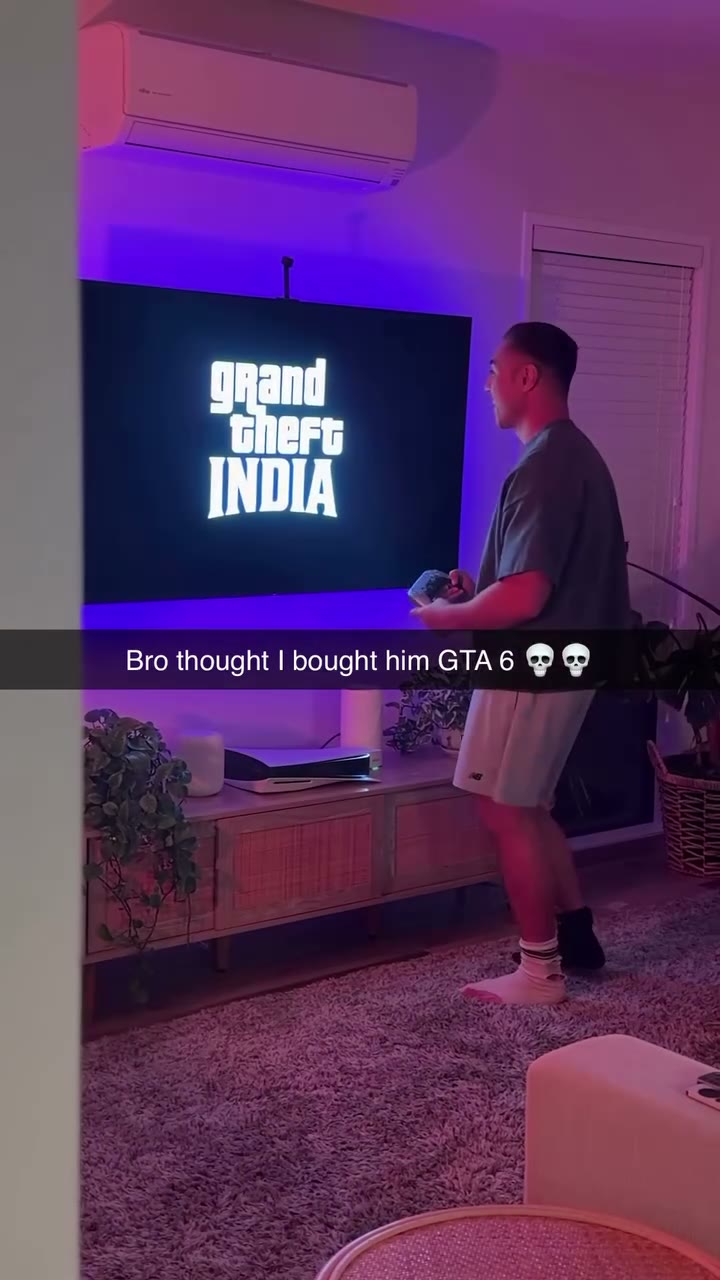
Grand Theft India AI turns a game-night reaction into a personal video. A player stands by the television, watches the screen change and reacts as the scene ends in a messy surprise. Upload one photo to guide the appearance of that player while the prepared video supplies the room, sequence and camera.
The phrase Grand Theft India AI describes this fan-inspired video setup. It does not install a game, alter game files or provide official gameplay. The preview is the reference clip; the person, screen details and movements in your generated result can differ.
HOW TO CREATE
How to make a Grand Theft India AI video
- Choose a photo of the person who should take the place of the player near the television. A clear image with one prominent subject makes the intended role easier to identify.
- Select Economy for the shorter reaction or Original for the complete reference. Play the Grand Theft India AI preview to see which parts of the room and screen are included.
- Sign in, check the credits shown by the Generate button and start the video. The fixed reference and its prompt are prepared for this scene, so you do not need to upload a video or write a prompt.
- Open My creations when the result is ready. Watch the screen change and the final reaction, then check for reference sound before deciding whether to download it.
Make the player part of the Grand Theft India AI surprise
Grand Theft India AI assigns the uploaded person to the visible player by the television. The person appearing inside the screen is part of the reference and has no separate photo slot. This distinction matters when choosing a photo: upload the person whose reaction you want to see, rather than a picture of the game screen.
The reference includes a room, television and the order of the reveal. The model uses them as visual guidance, not as a frame-perfect guarantee. Faces, clothes, hands, screen graphics and the way objects move can change. Choose a picture with a visible face, hair and upper body if those details matter to your result.
Choose the reveal or the longer setup
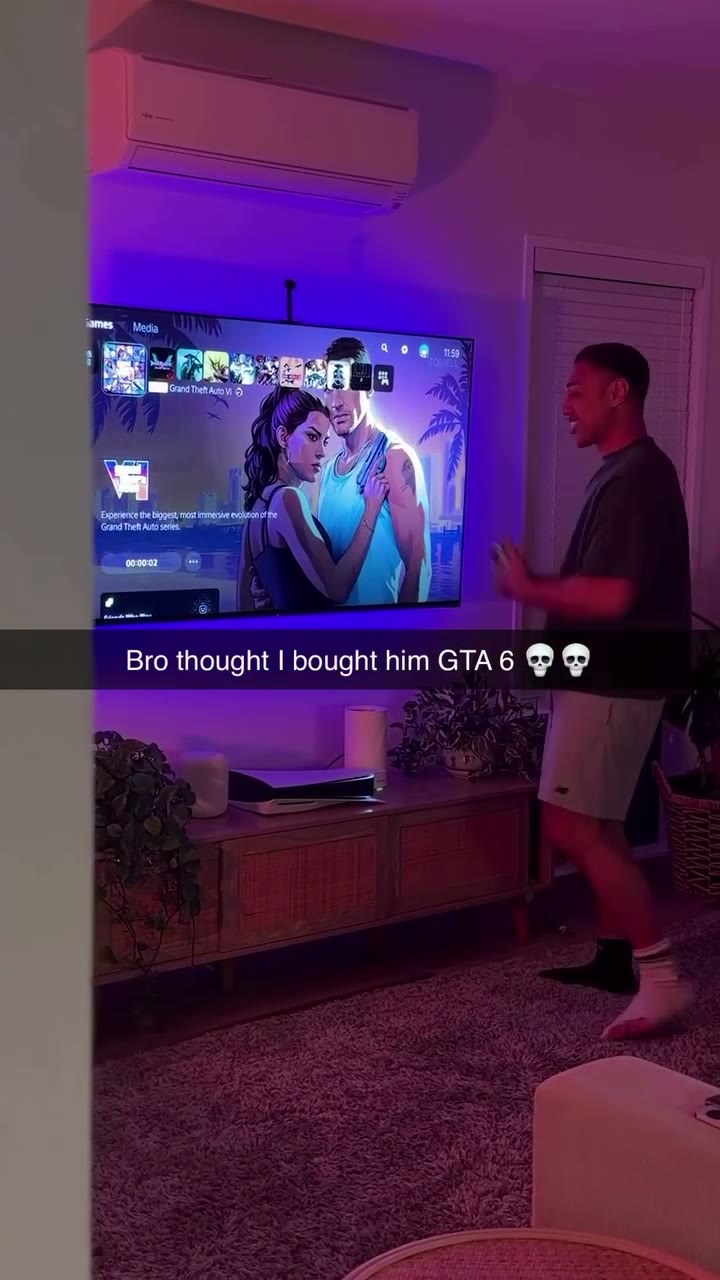
Economy uses an approximately 15-second excerpt beginning after the opening setup. It concentrates on the change on the television and the later reaction. Original uses the approximately 18-second full reference, keeping more of the opening context. The two previews show their own selected footage, so check the version before spending credits.
Both Grand Theft India AI versions use Seedance 2.5 Edit at 480p. Economy costs 799 credits and Original costs 1,299 credits. The shorter version is an edit of the same source, not an additional example or a promise that every gesture will be copied exactly.
Check the Grand Theft India AI reaction before sharing
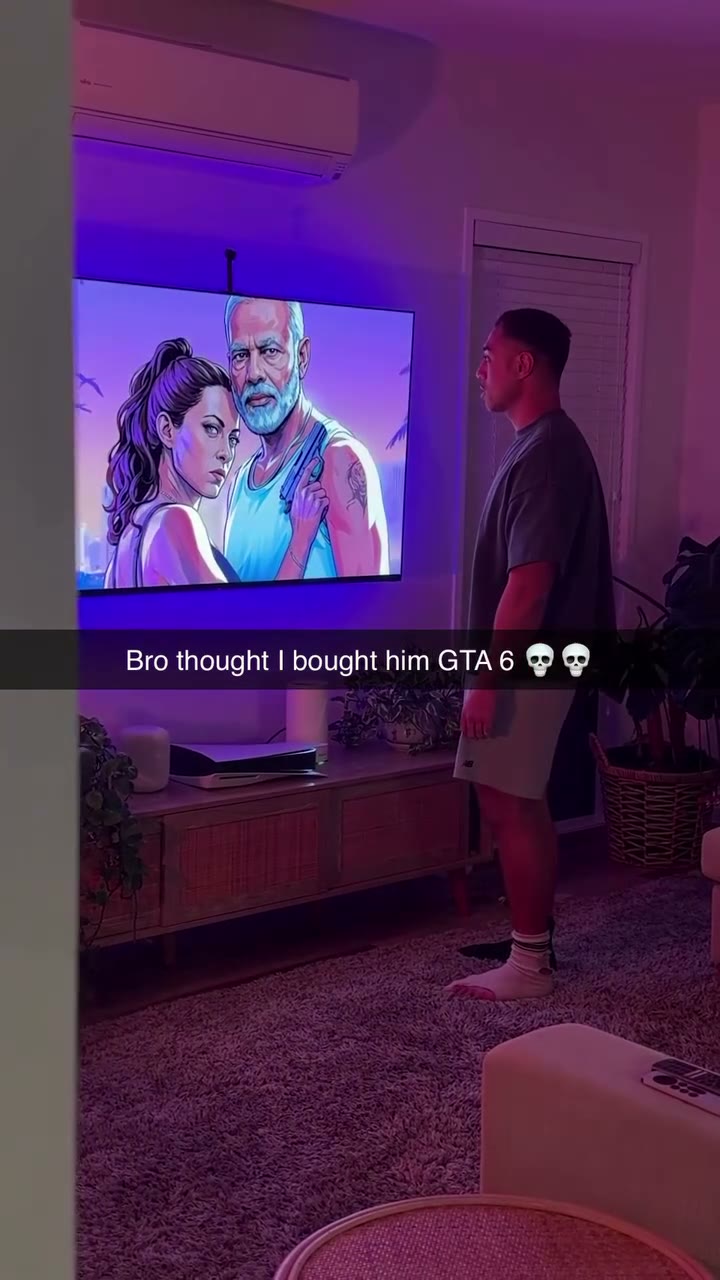
The most useful review is to watch the video all the way through. Check whether the replacement person stays recognizable when the camera changes, whether the television remains readable enough for your intended joke and whether the final movement makes sense. Generated text or on-screen imagery may be different from the reference.
Grand Theft India AI tries to restore the selected reference soundtrack after silent generation. Listen through the ending as well as watching it: audio alignment and content can vary. Use only photos you have permission to upload, and check that you have the necessary rights before sharing the finished video and its sound.
Picking the player photo for Grand Theft India AI
Before starting Grand Theft India AI, decide whose surprise should drive the scene. A photo with one prominent person gives the model a clearer target than an image where several people overlap. Look for even light and a face that is not hidden by a hand, phone or strong shadow. You can use a waist-up image when you want the jacket or shirt to inform the character as well.
The player in Grand Theft India AI moves beside a television, so the model needs to interpret a person beyond a single still face. A real photo may not show every angle required by the reference; hair, sleeves and body shape can therefore shift between shots. Review the complete clip for consistency rather than assuming a good opening frame means every later shot will match.
Understanding the television reveal for Grand Theft India AI
The reference tells a small visual story: a person expects one thing from the screen, then the image and the player’s reaction change the mood. Grand Theft India AI uses the prepared sequence as a guide. It does not ask you to upload a screen recording, enter a game account or select an actual game to run.
Screen contents can be especially variable in generated video. Small letters, interface elements and objects on the television may be reinterpreted. When the joke depends on a specific title or caption, watch the output carefully to see whether it still makes sense to someone who has not seen the reference. Do not treat on-screen text as a promised exact copy.
Deciding which part of the joke matters for Grand Theft India AI
The Economy excerpt begins later in the source and keeps the reveal and the later reaction. Original includes more of the lead-in. If your audience needs to understand that the player is waiting for something before the screen changes, the longer version may provide useful context. If you prefer a more immediate reaction, the shorter reference may be the better fit.
You can switch between the two Grand Theft India AI previews before submitting. The displayed video changes with the selected reference, while the uploaded person stays the same unless you replace the photo. Compare the opening and ending on each preview, then check the price shown by Generate. Switching the preview by itself does not start a paid generation.
Evaluating movement and continuity for Grand Theft India AI
When Grand Theft India AI finishes, watch the player and the television together. The person should remain understandable as the same character as the camera and pose change. Check the outline of the arms, the position of the hands and the timing of the final movement. The model can change these details, even when the input photo is clear.
The room and supporting screen imagery come from the source, so a change in those details does not mean a different photo was uploaded. If the person is difficult to recognize, consider a clearer image for a later attempt. A different input can improve the starting information, but it cannot guarantee identical facial features or motion in every frame.
Finishing a reaction video for Grand Theft India AI
The selected Grand Theft India AI soundtrack may be restored after the video is generated. Listen from the beginning through the final reaction to see whether its timing works with the images you received. The source has not been transcribed here, so judge the actual words or sounds in the finished result instead of relying on a description.
Your result is available in My creations under the account used for the generation. Before sharing it as a game-night joke, check the face, television imagery and sound together, and make sure the people and material in your chosen photo can be used for that purpose. The reference preview and your result are separate videos.
QUESTIONS, ANSWERED
Grand Theft India AI FAQ
What is Grand Theft India AI?
It is a fan-inspired photo-to-video scene in which the uploaded person guides the player beside a television during a game-night reveal. The prepared reference supplies the room, screen and reaction.
Is Grand Theft India AI a playable game?
No. The tool produces an AI video from a photo and a fixed reference. It does not download, modify or provide access to a Grand Theft Auto game.
Who does my photo replace in Grand Theft India AI?
Your photo guides the appearance of the player standing near the television. People or characters shown inside the television are part of the reference and cannot be assigned a separate photo.
What does the shorter Grand Theft India AI version include?
Economy uses a roughly 15-second excerpt focused on the television reveal and later reaction. Original follows the approximately 18-second full reference, including more of the opening.
Can I upload my own video to Grand Theft India AI?
This page uses its prepared reference video. The photo is the input for the player; the scene and prompt are fixed to this particular Grand Theft India AI setup.
Will screen text be identical in Grand Theft India AI?
Not necessarily. AI can change screen text, images and object details. Review the generated clip rather than assuming the preview will be reproduced exactly.
Does Grand Theft India AI have sound?
The selected Grand Theft India AI reference soundtrack may be restored after generation. Sound and timing should be checked in the finished result before you share it.
How much does Grand Theft India AI cost?
Economy costs 799 credits and Original costs 1,299 credits. The Generate button shows the credit cost of the selected version before you start.
Ready to make your Grand Theft India AI video?
Choose your photo and preview the scene before you generate.
Create your video