
TAKE A SEAT ABOVE THE CHASE · FAN-INSPIRED VIDEO
GTA 6 Police Chase AI Video
Create a GTA 6 Police Chase AI video from one photo: sit above a moving car as a chase unfolds behind you.
THE SCENE
What is GTA 6 Police Chase AI?
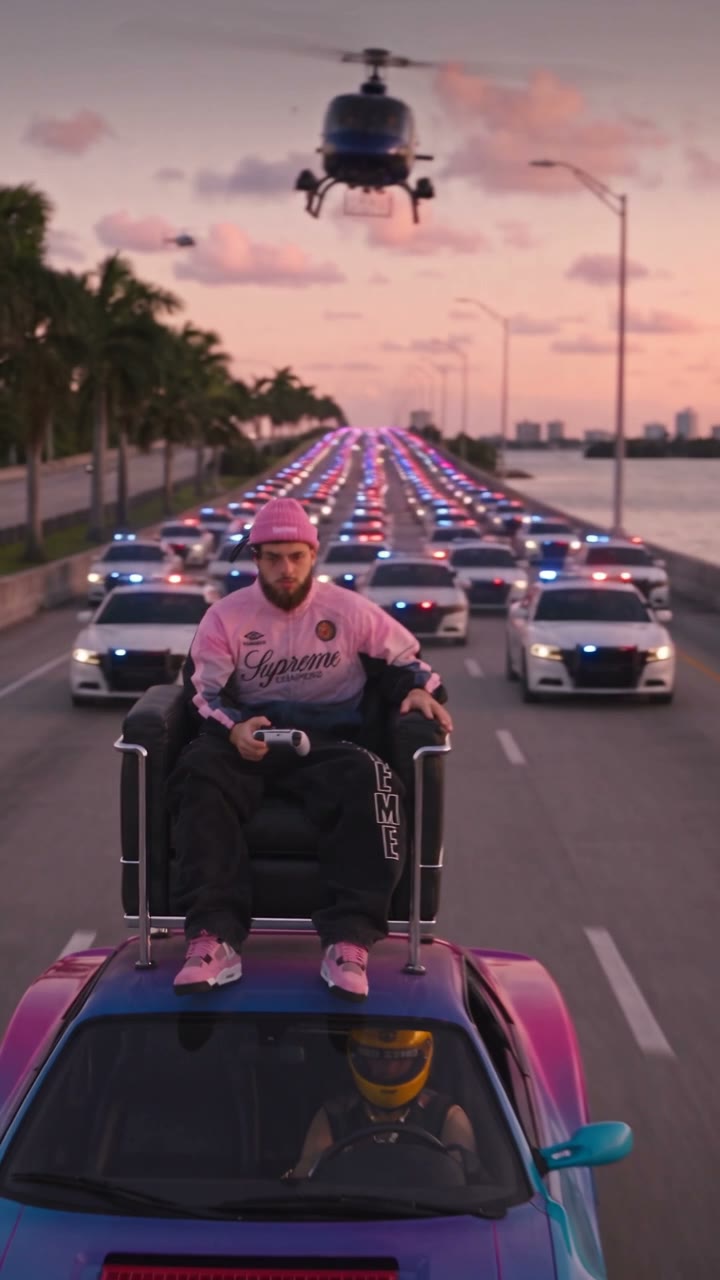
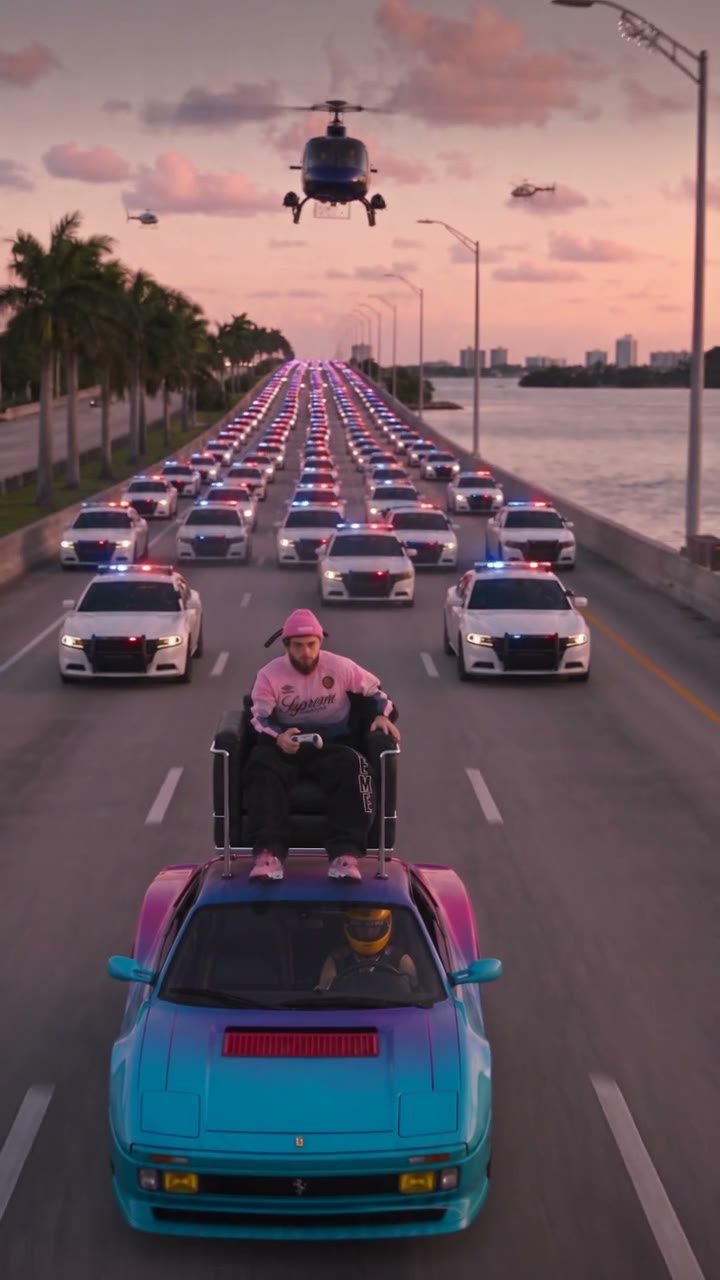
GTA 6 Police Chase AI turns a photo into a fan-inspired chase scene. The reference shows a person sitting on a chair above a moving car while police vehicles and a helicopter follow. Your photo guides the seated person; the road, vehicle, pursuit and camera come from the prepared video.
GTA 6 Police Chase AI creates a short video, not playable or official game footage. The person, car, road details and pursuit can change during generation. Watch the reference to understand the intended action, then review your own result before sharing.
HOW TO CREATE
How to make a GTA 6 Police Chase AI video
- Choose one clear image of the person who should sit above the car. A recognizable face and visible outfit can help the model interpret the role across the moving shots.
- Watch the roughly 13-second GTA 6 Police Chase AI reference. The driver and pursuit vehicles belong to the scene; they do not have separate upload slots.
- Sign in, confirm the displayed 799-credit cost and generate the complete 480p version. The page supplies the fixed video and prompt.
- When the result appears in My creations, watch the subject, chair and pursuit through the full clip. Check for reference sound and download if the result suits your use.
Cast the GTA 6 Police Chase AI rider
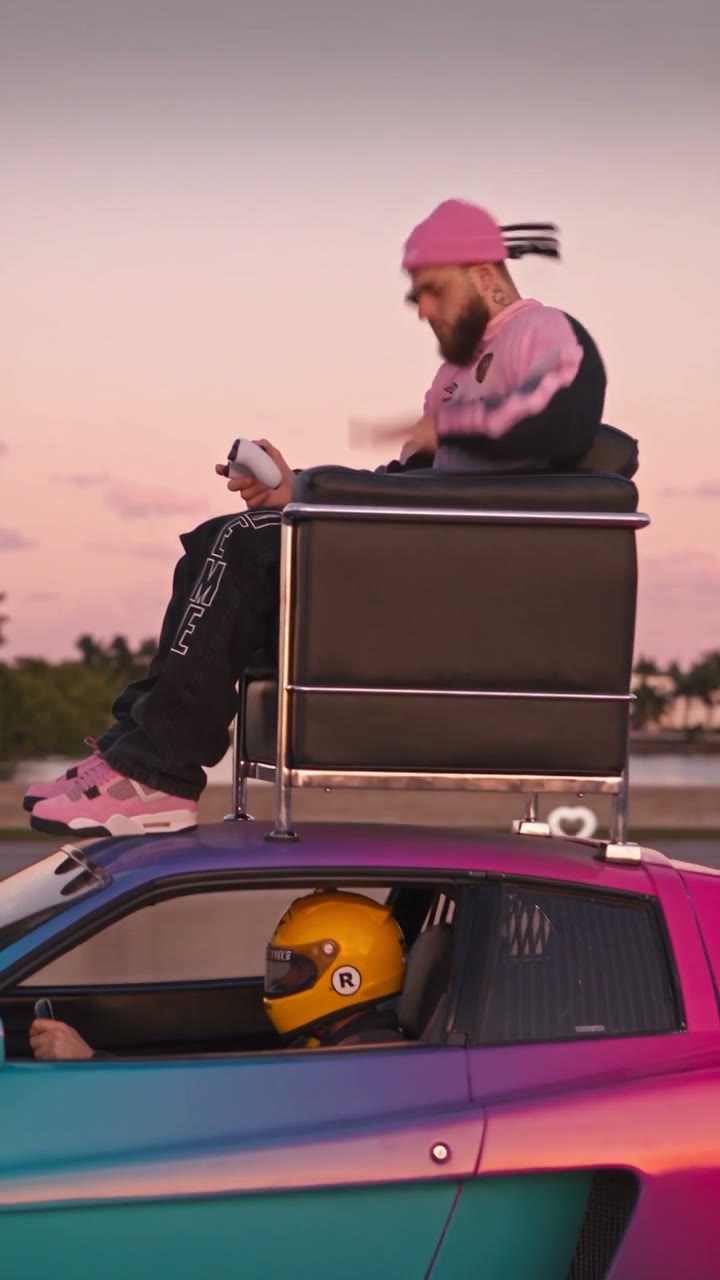
The only photo role in GTA 6 Police Chase AI is the person on the chair above the car. The driver remains part of the fixed scene, along with the police vehicles and helicopter. A photo of the person you want in the exposed seat is the appropriate input; there is no separate car or driver selection on this page.
Look for a photo where the subject is easy to distinguish from other people and the face is unobstructed. A wider picture can also show clothing. The model uses the reference for the seated pose and camera movement, so the result can change body position, accessories and the way the person holds the chair.
Use the complete chase
The source for GTA 6 Police Chase AI runs for approximately 13 seconds. The page provides one full-length version at 799 credits; it does not present multiple paid modes built from the same short reference. The displayed preview is the same source used to guide generation.
The video is generated at 480p with Seedance 2.5 Edit. Its reference guides the chase, chair, vehicle and moving camera, while the uploaded photo guides the rider. The actual speed, surrounding vehicles, face and camera details may vary, so the preview should be treated as a guide to the intended scene.
Review the GTA 6 Police Chase AI scene
GTA 6 Police Chase AI is an imagined video scenario. The sequence is designed around a person above a moving car; it is not a suggestion to recreate that action in real life. Inspect the generated chair, hands, rider and vehicle together, since fast camera movement can change their spatial relationship.
The reference soundtrack may be restored after silent generation. Listen through the pursuit and ending, and check that you have permission to use the portrait and any rights needed for the finished video and sound. If the rider is unclear, a different, well-lit photo may give the model a clearer starting point on another attempt.
Choosing the person above the car for GTA 6 Police Chase AI
GTA 6 Police Chase AI uses one photo for the rider sitting above the car. Pick an image with a clear, unobstructed face and one identifiable person. A waist-up or full-body picture can also show clothing that you want the model to use when interpreting the reference pose.
The rider is visible while the vehicle and camera move, so GTA 6 Police Chase AI has to infer angles and posture not present in the still photo. The resulting face, hair, outfit or body position can vary. Review more than the opening frame to decide whether the rider stays recognizable throughout the pursuit.
Understanding the fixed roles for GTA 6 Police Chase AI
The chair, moving car, driver, police vehicles and helicopter belong to the GTA 6 Police Chase AI reference. The page does not offer separate images for the driver or the car. Its single photo slot changes the intended rider, so use a photo of that person rather than an image of the vehicle you would like to see.
The prepared prompt guides the model to follow the reference, but visual details are generated rather than mechanically copied. Vehicles, faces, road scenery and camera framing can be reinterpreted. If a specific background vehicle matters to your idea, inspect the completed clip; the interface does not provide a separate control to lock it.
One complete short pursuit for GTA 6 Police Chase AI
The GTA 6 Police Chase AI source is approximately 13 seconds. It is short enough to show as one complete version, with the full reference available in the preview. That version uses 799 credits. Watching or replaying the reference does not start generation; the displayed credit amount applies when you submit a generation.
The output is generated with Seedance 2.5 Edit at 480p. There is no separate Economy, Standard and Original comparison for identical copies of this clip. Look at the beginning, the chase and the ending in the preview so you understand the camera movement and the length of the sequence before uploading.
What to check in a moving shot for GTA 6 Police Chase AI
When GTA 6 Police Chase AI is complete, check the rider and the chair as the camera moves. Look at the hands, the contact with the seat and the relationship between the person and the top of the car. A face can look convincing in a still frame while a later turn reveals a change in identity or posture.
Watch the background pursuit as well: police vehicles, the helicopter and road markings may change or move unexpectedly. This is an imagined scene rather than a real stunt. Do not attempt to reproduce a person sitting above a moving vehicle outside a controlled visual production.
Reviewing sound and the final file for GTA 6 Police Chase AI
The soundtrack from the GTA 6 Police Chase AI reference may be restored after the silent model output. Listen through the full pursuit and check the ending, because visual and audio timing may not align exactly in every result. The sound has not been transcribed here, so no particular line or effect is guaranteed.
Open My creations with the account used to generate the clip, then review and download the version you want. Use an image you have permission to upload and check the rights needed for the resulting video and audio before sharing. A different portrait may provide clearer information on a later attempt, but outcomes can still vary.
QUESTIONS, ANSWERED
GTA 6 Police Chase AI FAQ
What is GTA 6 Police Chase AI?
It is a fan-inspired video of a rider seated above a moving car during a police pursuit. One uploaded photo guides the rider and a fixed reference supplies the scene.
Does GTA 6 Police Chase AI replace the driver?
No. The photo is for the person sitting on the chair above the car. The driver remains a supporting part of the reference.
Can I upload a different car to GTA 6 Police Chase AI?
This page has one person photo slot and no car slot. The vehicle, police cars and helicopter are guided by the prepared reference.
How long is GTA 6 Police Chase AI?
The reference is approximately 13 seconds and the page offers one complete version. The result can differ in motion and timing.
Is this real or official gameplay?
No. GTA 6 Police Chase AI is an independent fan-inspired AI video tool. It is not playable footage, a game feature or official Rockstar material.
Can GTA 6 Police Chase AI use a different chase angle?
The camera and sequence are guided by the prepared video. This page does not offer a separate camera-angle selector or an upload for a different reference.
Does GTA 6 Police Chase AI include audio?
The GTA 6 Police Chase AI soundtrack may be restored after the silent generation step. Review the sound and timing on the final video.
How much does GTA 6 Police Chase AI cost?
The complete version uses 799 credits. Check the Generate button for the current amount before submitting.
Ready to make your GTA 6 Police Chase AI video?
Choose your photo and preview the scene before you generate.
Create your video