
ONE LAST DRIVE TOGETHER · FAN-INSPIRED VIDEO
Goodbye GTA 5 Highway AI Video
Make a Goodbye GTA 5 Highway AI farewell video from one photo. Join the drive, wave to fellow travelers and take one last road together.
THE SCENE
What is Goodbye GTA 5 Highway AI?
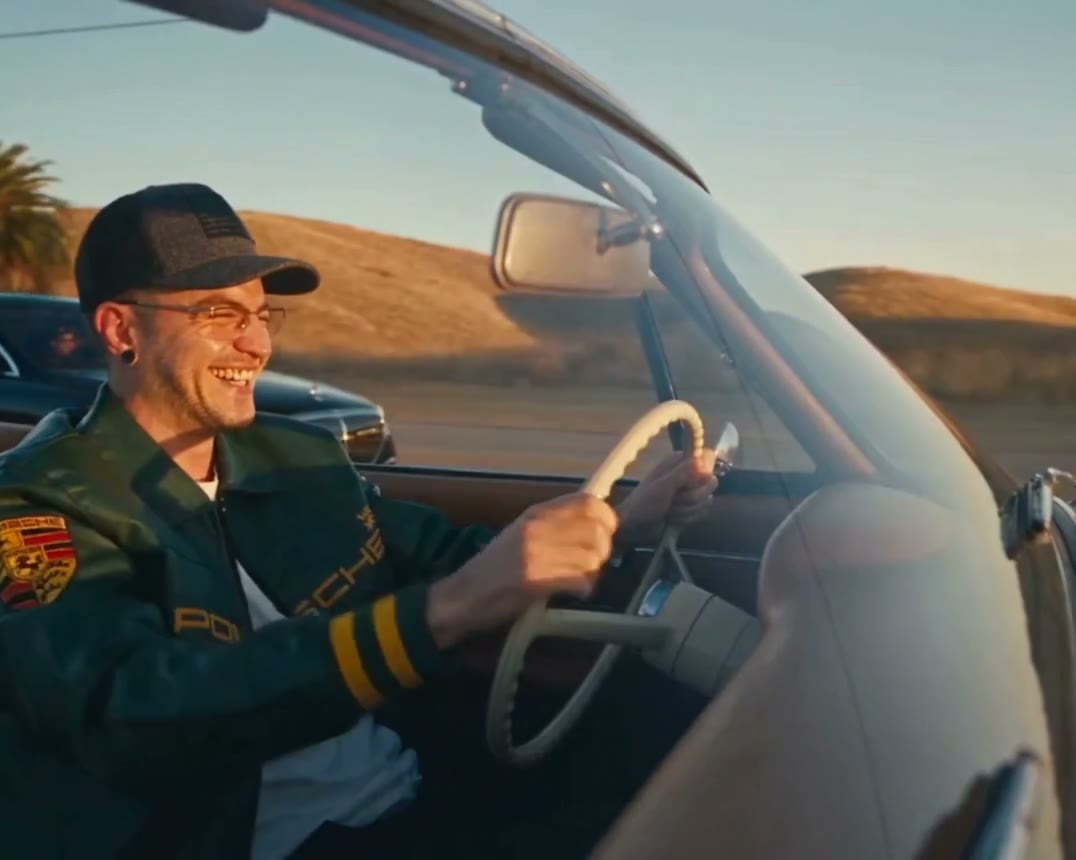
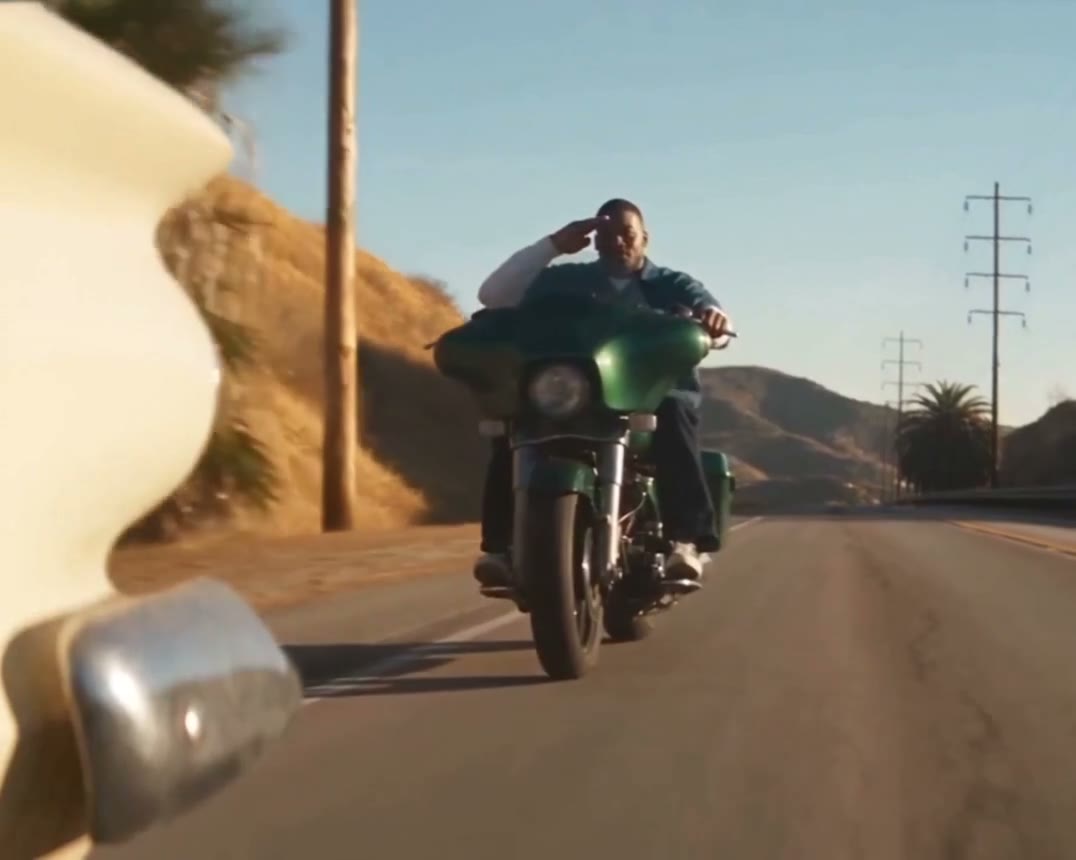
Goodbye GTA 5 Highway AI turns a portrait into a fan-inspired road farewell. The reference follows a white convertible traveling beside other vehicles at sunset. Drivers and a rider acknowledge each other along the way before the roads divide. Your photo guides the driver of the white convertible as the prepared footage supplies the journey.
The Goodbye GTA 5 Highway AI preview shows the reference scene, not a finished result made with your photo. The model follows the selected footage while generating a new interpretation: faces, vehicles, gestures, signage and camera details can vary. Choose the full version if the separate roads and final drive are the part of the story you want to keep.
HOW TO CREATE
How to make a Goodbye GTA 5 Highway AI video
- Pick a clear photo of the person who should drive the white convertible. One visible subject with an unobstructed face gives the model a useful guide for the driver.
- Choose Economy for the opening highway moments or Original for the complete Goodbye GTA 5 Highway AI reference, including the later fork and drive away. Play the selected preview to check its sequence.
- Sign in and check the credit amount beside Generate. The page prepares the reference video and prompt, so you only need the driver photo; it does not ask for a second person or a car image.
- Open My creations when your Goodbye GTA 5 Highway AI result is ready. Watch the driver across the changing angles, review the other vehicles and listen to the audio before downloading.
Choose the driver for Goodbye GTA 5 Highway AI
Goodbye GTA 5 Highway AI has one photo role: the driver of the white convertible. The people in the surrounding vehicles and the rider are supporting parts of the reference; there are no separate photo slots to assign them. If you want a friend to be the driver, use that friend’s image as the single upload.
Look for an evenly lit portrait where the face, hair and upper body are easy to see. The driver appears from different directions, so a sharp face gives the model a clearer starting point than a distant group picture or a heavily obscured selfie. A photo can guide identity and clothing, but it cannot promise an exact match in every shot.
Pick the Goodbye GTA 5 Highway AI journey
Economy uses the first approximately 15 seconds of Goodbye GTA 5 Highway AI. It focuses on the cars traveling together and the early gestures. The road fork and the final drive away occur later and are not part of that shortened reference. Economy costs 799 credits.
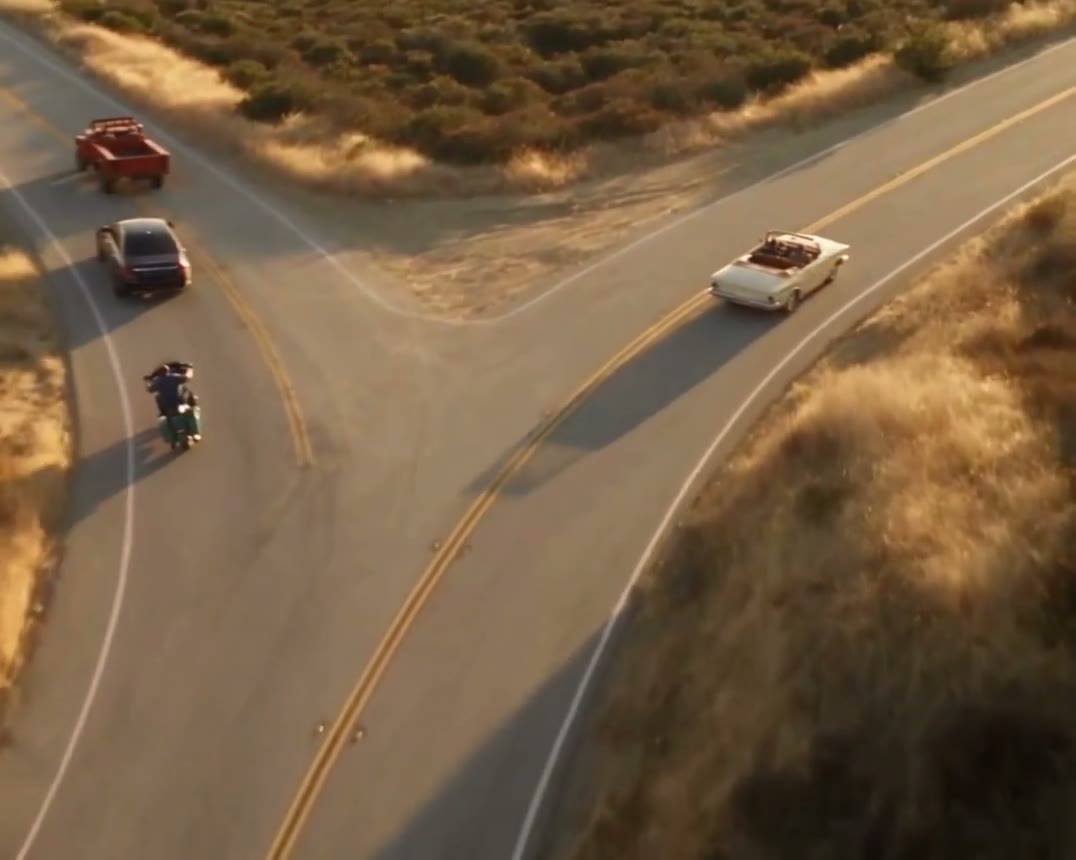
Original uses the complete approximately 27-second Goodbye GTA 5 Highway AI reference, including the later separation and departure, for 1,599 credits. Both choices use Seedance 2.5 Edit at 480p. They are different excerpts of the same scene; the preview changes with the selection so you can compare the footage before submitting.
Review the Goodbye GTA 5 Highway AI farewell
Watch your result from the opening mirror view through the final available shot. Check the driver’s face as the camera changes, the way hands meet the steering wheel, and whether the other vehicles remain understandable. The model may reinterpret a wave or change a vehicle detail even when the reference shows it clearly.
Goodbye GTA 5 Highway AI generates without model audio and then attempts to restore the selected reference soundtrack. Listen to the completed file for timing and volume. Use a portrait you have permission to upload and confirm the rights needed for the video and sound before publishing your result elsewhere.
Preparing a portrait for a moving car for Goodbye GTA 5 Highway AI
For Goodbye GTA 5 Highway AI, choose a photo where the driver’s face is large enough to recognize without zooming. Soft, even light makes facial features easier to read, while a hand, phone or sunglasses covering most of the face can leave the model with less information. A single prominent person makes the intended driver clearer than a crowded group shot.
The source switches between the convertible and views of the other travelers. A waist-up portrait can provide clothing and hair details for the shots where more than a face is visible. You do not need a photograph taken inside a car: the seat, vehicle and road are provided by the reference. The model still has to infer angles and movements missing from a single image.
Following the sequence on the road for Goodbye GTA 5 Highway AI
The Goodbye GTA 5 Highway AI reference begins with the white convertible seen through a mirror before moving among the vehicles on the highway. As the trip continues, nearby travelers exchange gestures and the camera returns to the driver. The longer footage then reaches a junction and follows the departure. This sequence gives the scene its farewell, even before a personal photo is added.
The supporting drivers and rider help establish the shared journey, but their individual appearances are not controlled with additional images. The fixed prompt asks the model to keep them, the vehicles and the sunset. Generated frames can still change those details. If one particular gesture is essential to your idea, play the reference first and check the same moment in the result.
Goodbye GTA 5 Highway AI uses a prepared scene with no separate control for the road sign, vehicle color or weather. Small lettering may vary, so treat signs as background rather than exact text.
Comparing the shorter and full journey for Goodbye GTA 5 Highway AI
Choose the approximately 15-second Economy version when the opening convoy and waves are enough for your Goodbye GTA 5 Highway AI video. It uses 799 credits and ends before the later fork. This can work for a brief scene centered on being together, but it does not contain the entire departure.
Choose Original when the separation is important: the complete reference includes the road fork and departure. Watch both Goodbye GTA 5 Highway AI previews without spending credits, then confirm the selected mode and quote before submitting your portrait.
Checking identity across camera changes for Goodbye GTA 5 Highway AI
After Goodbye GTA 5 Highway AI finishes, review more than the thumbnail. Pause at a close view of the driver and compare the face, hair and clothing with the portrait. Then check a later angle to see whether the same person remains recognizable as the car and camera move. Minor details can shift between shots even when the first frame looks convincing.
Look at how the driver sits in the convertible and how hands relate to the wheel. Nearby cars, mirrors and gestures can also be reinterpreted in motion. In the full version, watch the road fork through the final drive so you can decide whether the generated sequence still communicates the intended goodbye.
Sound, sharing and other farewells for Goodbye GTA 5 Highway AI
Goodbye GTA 5 Highway AI first makes the visual sequence without generated sound. The workflow then attempts to restore the matching reference audio. Listen to the actual file, especially around changes of shot and at the ending, because audio availability and synchronization can vary. The preview is a reference and is not proof of how every generated result will sound.
This highway story follows travelers as they wave and drive apart. The site’s pier farewell centers on a meeting by the water, while GTA 5 Last Flight AI follows an airport departure. The links above the guide let you compare those scenes and select the one that fits your idea. Each has its own reference and available lengths.
QUESTIONS, ANSWERED
Goodbye GTA 5 Highway AI FAQ
What is Goodbye GTA 5 Highway AI?
It is a fan-inspired photo-to-video farewell on a highway. One portrait guides the white convertible driver while the selected reference supplies the vehicles, road and sequence.
Who does my photo guide in Goodbye GTA 5 Highway AI?
Your photo guides the driver of the white convertible. Other drivers and the rider are part of the fixed reference and do not have individual upload slots.
Which Goodbye GTA 5 Highway AI version shows the roads splitting?
Choose Original for the complete approximately 27-second reference. The roughly 15-second Economy excerpt ends before the road fork and final drive away.
How many credits does Goodbye GTA 5 Highway AI use?
Economy costs 799 credits and Original costs 1,599 credits. The Generate button shows the selected price before you submit.
Can I upload photos for every Goodbye GTA 5 Highway AI driver?
This scene accepts one driver photo. The other people and vehicles are guided by the prepared footage rather than separate image inputs.
Does Goodbye GTA 5 Highway AI preserve the audio?
The workflow attempts to restore the selected reference soundtrack after generation. Check the finished video for audio and timing; an exact result is not guaranteed.
Can I change the Goodbye GTA 5 Highway AI road or reference?
The highway scene uses a fixed reference and prompt. You can choose the offered excerpt and the driver photo, while the road and camera are guided by that footage.
Is Goodbye GTA 5 Highway AI official or playable?
This is an independent fan-inspired video tool. It does not provide a playable game, official footage or an affiliation with Rockstar Games.
Ready to make your Goodbye GTA 5 Highway AI video?
Choose your photo and preview the scene before you generate.
Create your video